Ring Integration
Integrate Ring devices into your Hubitat hub
Ring Integration
The built-in Ring Integration app allows you to add compatible Ring devices to your Hubitat Elevation hub.
Installing Ring Integration
- From the sidebar of your hub, navigate to Integrations and select Add Integration or Add Built-In Integration:
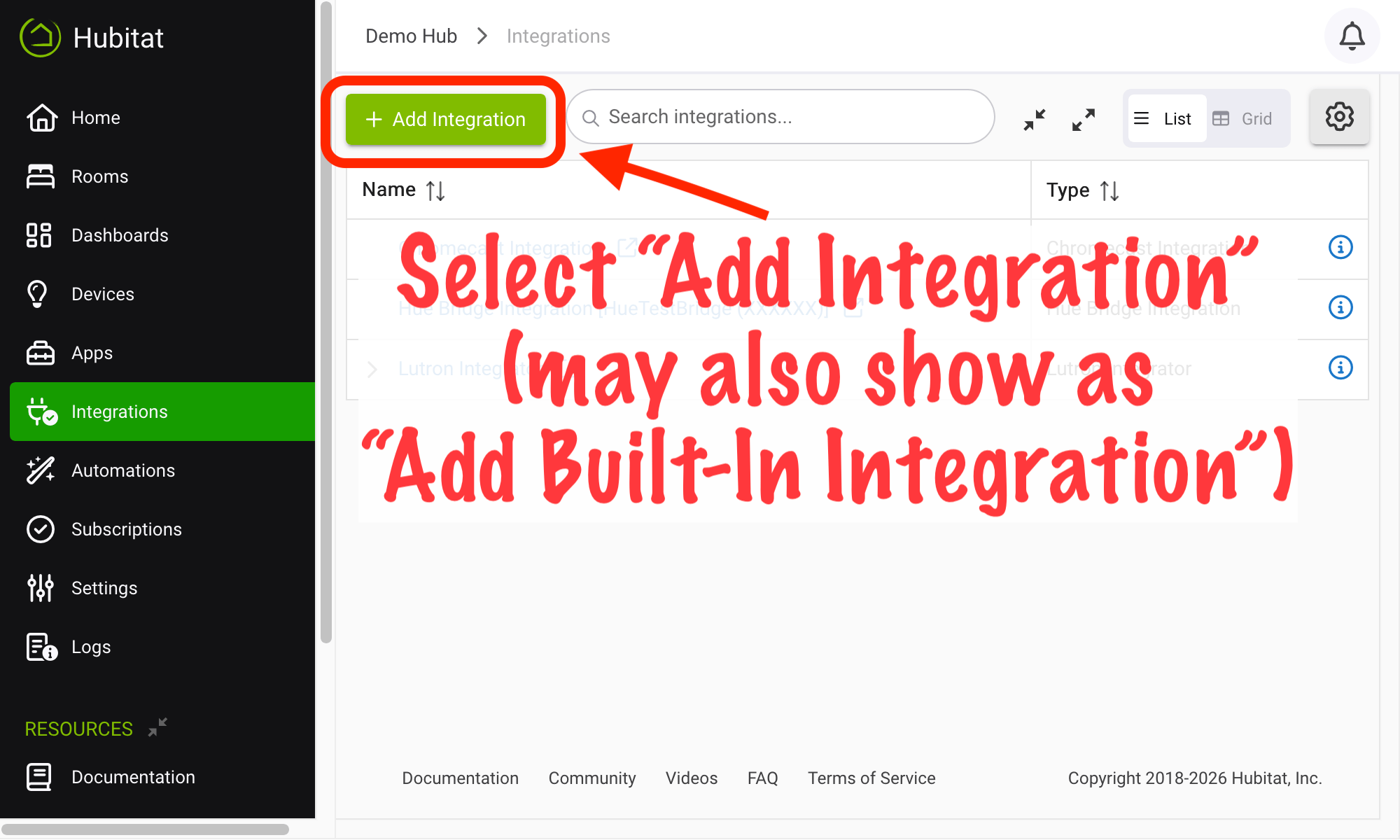
- Select Ring Integration from the list of built-in apps.
Configuring Ring Integration
-
If this is your first time running the integration, provide your Ring login credentials under the Login heading in the Email and Password fields. (If you do not see these fields, make sure Ring controller enabled appears above the Overview table at the top of the app, and select Enable Ring Controller if not.)
-
Follow the prompts in the app to add compatible devices to your Hub.
Additional Notes
This integration is cloud-based, as Ring does not provide a local interface.
This integration is currently in beta. Certain device types may not yet be supported in part or whole. Visit the Community forum for discussion.
Ring is a trademarks of Amazon Technologies, Inc., registered in the U.S. and other countries and regions. Use of such marks is for descriptive purposes only and does not imply any affiliation or endorsement.