Hub Link
Hub Link
NOTE: Hub Link is no longer available for new installations. Use Hub Mesh feature instead of Hub Link. Hub Link/Link to Hub remains for existing users, but Hub Mesh has more features, is easier to use and configure, and has fewer limitations.
When two Hubitat Elevation hubs run on the same local network, it is possible to view and control devices from one hub, on the other. This is accomplished with the built-in app called Hub Link which is installed on the Master hub. Devices on the Remote hub are shared with Hub Link on the Master hub by using a second built-in app named Link to Hub.
In addition to linking two or more Hubitat Elevation hubs, Hub Link can also be used to link devices on a SmartThings hub to Hubitat Elevation. To do this, the SmartThings hub requires a SmartApp named Send Hub Events. Note that this SmartApp is expected to stop working in fall 2022 after Samsung removes their longstanding Groovy-based IDE (or whenever this ends up happening). Hubitat does not have a replacement for this feature, though there may be third-party methods.
Here's how to get started with Hub Link:
Installing Hub Link
-
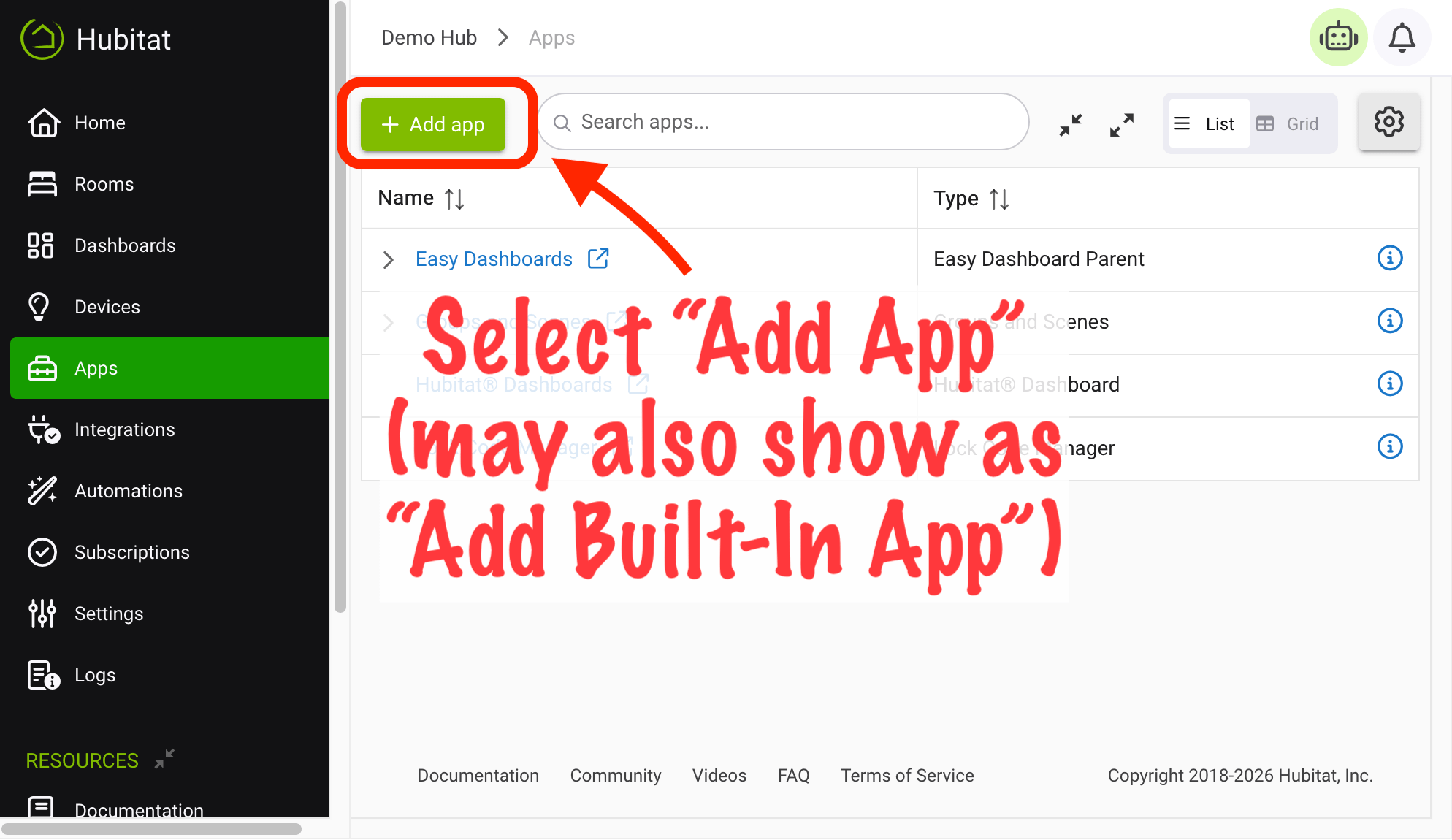
From the sidebar of your hub, select Apps and then select Add Built-In App.
-
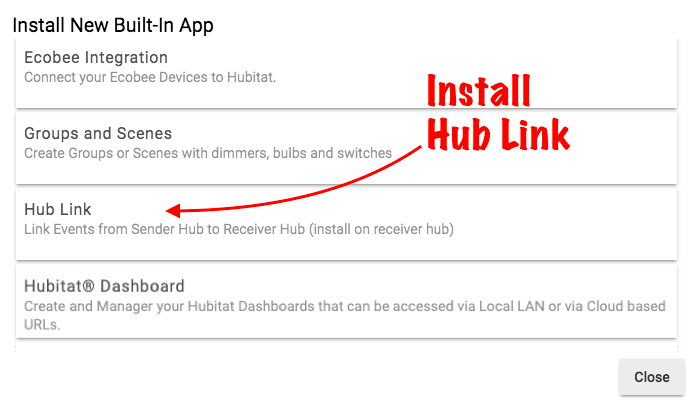
Choose the Hub Link from the list of Hubitat Elevation Built-In Apps.
Configuring Hub Link
- Enter the IP address of the remote hub in the Hub Link settings. The remote hub is the one with the devices you want access from the current hub. This might be a device you have running on your SmartThings hub, or devices you have on another Hubitat Elevation hub
- To access devices connected to another Hubitat Elevation hub, you will need to install the Link to Hub app on the remote hub.
- To have a SmartThings hub act as your remote hub, you will need to install the Send Hub Events SmartApp on the SmartThings hub.
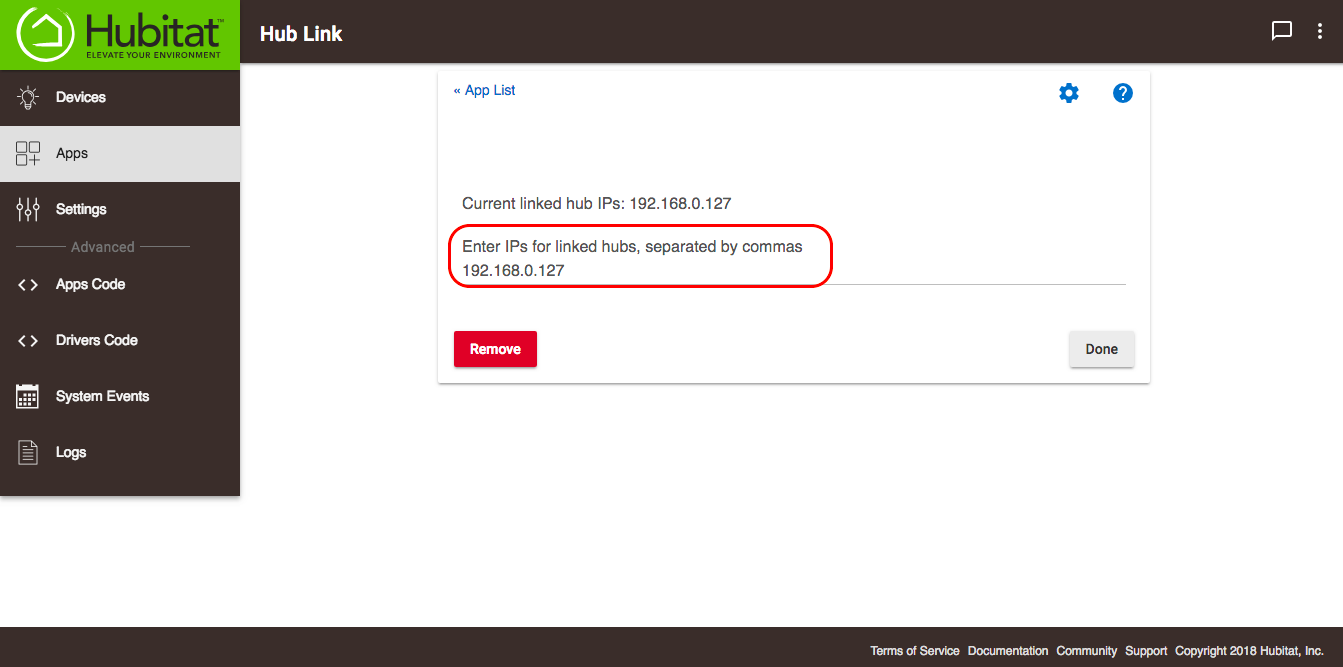
NOTE: It is possible to have more than one Hubitat Elevation remote hub connected via Hub Link, along with a SmartThings hub, all operating at the same time. The IP address for each Hubitat Elevation or SmartThings remote hub will be shown in Hub Link as Current linked hub IPs.